This is the multi-page printable view of this section. .
What is OINK
OINK is a standalone Hugo theme for medium and large technical documentation sites. It evolved from Docsy: the content model and the multilingual behaviour are kept, while the shell, navigation, search and content components are replaced.
A consuming site’s only build dependency is one Hugo Extended binary. There is no Node.js, no npm, no PostCSS and no CDN request. Bootstrap, Font Awesome, the fonts, local search, the diagram runtimes and the API reference runtimes are all committed to the theme repository and shipped only to the pages that use them.
Components are not a second template language: > [!NOTE] is a callout, a table
with a {.fields} line is a parameter list, and an image followed by
{caption=} has a caption. Fifteen production sites
run on it today, this one among them.
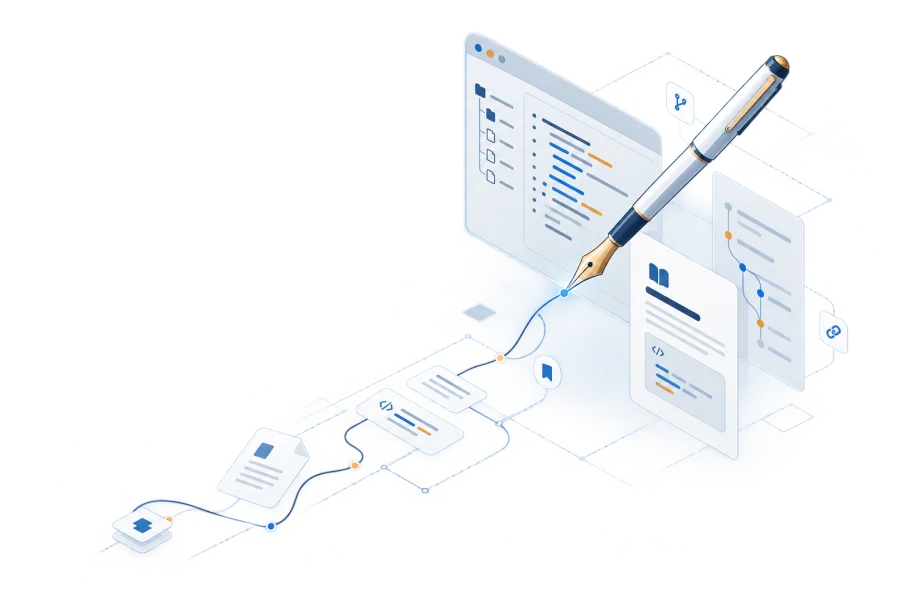
What the theme provides
- The documentation and blog shell: navigation, sidebar tree, table of contents, breadcrumbs, pager, dark mode, print view and accessible interaction.
- The multilingual frame: translation routing, fallback for untranslated pages, language weighting, RTL, and 32 complete interface catalogs.
- Local runtimes: Mermaid, KaTeX, Markmap, Swagger UI, Redoc, Asciinema, ECharts, Infographic and local full-text search.
- Content components: callouts, tabs, steps, cards, field lists, file trees, galleries, badges, keys and more — most with a native Markdown form.
- Content types: beyond ordinary documentation, built-in book numbering and cross-references, release and download pages, data-driven landing pages, and OpenAPI reference pages.
The theme does not handle source hosting or deployment: a site can live on GitHub, GitLab or a private Git server, and the static files Hugo produces can be published anywhere. A site’s own content, brand and business components stay with the site; the theme supplies the shell and the reusable components.
Is OINK for me
| A good fit when | A poor fit when |
|---|---|
| There are many pages and mixed content types: documentation, blog, a book, release pages and an API reference in one site | There are one or two pages and no need for structured navigation; a README or a lighter Hugo theme is simpler |
| You need real multilingual support, not a translation link bolted onto an English site | The site is mostly application UI rather than documentation: OINK can carry the documentation part while business components stay at the site layer |
| Reproducible builds and network isolation matter, and the build machine has no outbound access | You need interactive components inside the prose (React / MDX) |
| Several sites share one shell, so layouts and shortcodes are not copied around | You want one switch that swaps in a different look: the theme has no brand switch, and appearance changes go through CSS tokens and partial overrides |
| The team has no front-end engineers and maintains no Node toolchain | You need a built-in CMS or a WYSIWYG editor |
How it differs from other documentation systems
The table below lists structural differences only, and only what can be confirmed from each project’s own documentation and repository. Versions change; check each project’s current documentation before choosing.
| Dimension | OINK | Docsy | Hextra | Docusaurus |
|---|---|---|---|---|
| Build tool | Hugo Extended, one binary | Hugo Extended + Node/npm | Hugo | Node.js toolchain |
| Does a consuming site need npm | No | Yes: Bootstrap and Font Awesome are mounted from node_modules/ |
No | Yes |
| Where front-end assets come from | All committed to the theme repository; VENDOR.json records version, source, licence and checksum |
jQuery is loaded from a CDN on every page unconditionally; Mermaid, KaTeX and others also fetch from a CDN at build time | Prebuilt artifacts committed to the repository | npm dependencies |
| How components are written | Native Markdown attributes and fences first, 29 shortcodes as the fallback | Shortcodes (19) | Shortcodes (29) first; callouts also have a > [!NOTE] native form |
MDX (React components) |
| Multilingual | Hugo multilingual + 32 complete interface catalogs | Hugo multilingual + 31 interface locale files | Hugo multilingual + 21 interface language packs | Built-in i18n framework |
| Book numbering and cross-references / release and download pages / data-driven landing pages | Built into the theme | None | None | Build your own or find a plugin |
Two qualifications. Per-page Markdown output and llms.txt are not unique to
OINK — Docsy and Hextra have them too, and all three need the site to opt in
under outputs. Only the last row is exclusive to OINK, and it comes from
PGSTY’s own production sites rather than from what a general documentation site
needs. The theme’s interactive features are off by default: search, zoom,
comments and feedback all require the site to turn them on.
OINK is not a skin layered over Docsy but a theme that forked and evolved separately. Docsy’s source history, its Apache-2.0 obligations and its attribution are kept intact; the details are in License and acknowledgements.
Start here
- Get started — use the official Starter, customize it in layers, and publish it.
- Components — one page per component, source first and rendered result after.
- Showcase — fifteen production sites and which part of OINK each one uses.
Highlights lists what the theme provides capability by capability, each entry linking to the guide that covers it.
1 - Highlights
This page lists what separates OINK from an ordinary Hugo theme, each item ending with the guide that covers it. To install straight away, see Quick start.
Components are written in Markdown
A callout is a > [!NOTE] blockquote (ten semantic types plus one neutral
disclosure). A field list is a table with a {.fields} line. Steps and cards
are lists with {.steps} / {.cards}. A caption is a {caption="…"} line
under an image. Tabs are adjacent fences each carrying a {tab="…"}; file
trees, galleries, Mermaid and ECharts are data fences named after their
language. On GitHub or in any plain Markdown reader these degrade to
blockquotes, tables, lists and code blocks, and nothing is lost.
29 shortcodes cover what the native forms cannot express: cards with icons and images, field entries whose body is several paragraphs of Markdown.
One Hugo binary is enough
A consuming site’s entire build dependency is Hugo Extended 0.160.1 or newer.
SCSS is compiled by Hugo’s embedded Sass transpiler; the theme never invokes
postCSS. There is no npm, no webpack and no build-time download. Installing
the theme as a Hugo Module needs Go on the machine to resolve the module; an
offline archive or a submodule does not.
“Hugo only” refers to the build dependency. The interface still runs JavaScript in the browser: search, the command palette, diagrams and tabs are page scripts. The difference is that those scripts ship with the theme and are delivered per page according to what that page actually uses.
Local-first
Everything the browser needs is committed to the theme repository: Bootstrap,
Font Awesome, four fonts, Lunr, Mermaid, KaTeX, Markmap, Swagger UI, Redoc,
Asciinema, ECharts, Infographic. VENDOR.json records the version, source,
licence file and SHA-256 checksum of each of the 26 dependencies; updating a
runtime means updating artifact, licence and checksum together.
Where a feature could cause a network request, the theme leaves it off rather
than reaching out silently: PlantUML without params.plantuml.svg_image_url,
Diagrams.net without params.drawio.drawio_server, and Algolia without
appId / apiKey / indexName each warn and stay disabled, and a publishing
gate built with --panicOnWarning turns that warning into a failure.
Local-first does not extend to what an author adds. All of these are explicit network choices: external links, remote images and video, iframes, remote API specifications; hosted search such as Algolia or Google Programmable Search; analytics, comments and other SaaS integrations; and PlantUML or Diagrams.net once the author configures a remote renderer. Pages using them are still valid pages, but a site should stop claiming those pages work fully offline.
→ License and acknowledgements · Configuration
One source, four outputs
Every component has a defined shape in all four outputs: interactive HTML; a
print page with zoom and copy controls stripped and disclosures fully expanded;
plain Markdown; and RSS. The print view is generated per section (this one is
/_print/docs/about/), and the Markdown version is the same page address plus
index.md.
A site chooses which of them it wants under outputs; the theme does not decide
for it.
Two languages and 32 interface locales
Multilingual support uses Hugo’s own mechanism: translation routing, a language
picker ordered by weight, fallback for untranslated pages, RTL, and canonical
and alternate metadata. Interface strings come in 32 language packs sharing one
192-key schema: all 31 locale filenames supported by Docsy, plus generic zh.
Every pack now contains native OINK interface text rather than English
placeholder blocks; zh and zh-cn use Simplified Chinese and zh-tw uses
Traditional Chinese.
Full-text search that stays on the site
With params.offline_search on, Hugo generates one index per language. The
browser searches Latin text with a local Lunr index and falls back to substring
matching for CJK text; no query leaves for a third party. A page can adjust its
weight with search_boost and add synonyms with search_keywords.
→ Search
Command palette
Cmd/Ctrl + K opens the command palette; a bare / enters search mode and a
bare \ enters command-only mode. The palette holds pages, commands and page
actions (switch language, switch theme, copy Markdown) together, so searching
and acting share one entry point.
Keyboard navigation
On by default, and switchable off per site or per section. w and s move up
and down the sidebar tree, a and d collapse and expand, q and e go to
the previous and next page, j and k jump along the page’s table of
contents, t toggles light and dark, l switches language, h hides the
reading shell. Every single-key shortcut stands down while an input or textarea
has focus or an input method is composing. The question-mark button in the
footer’s bottom bar opens the cheatsheet.
Backlinks
Turn on params.ui.backlinks and every page lists the pages that link to it —
derived at build time from the ordinary links you already write, with no new
syntax and no JavaScript. This site enables it site-wide: look at the “Linked
from” group in this page’s right rail, and the more a page is referenced, the
longer its list — past eight entries it folds.
Four content types beyond documentation
The theme also has four kinds of page that need extra structure:
- Books: chapter numbering, figures / tables / equations / examples numbered with
{#id num=}and cross-referenced withxref, indexes generated bybook-tocandbook-figuresand friends, and a printable whole. - Release and download pages:
data/download/*.yamlproduces release cards, asset tables and checksums, with a controlled publication state. - Landing pages:
data/home/<lang>.yamlassembles the home page sections; any page withlayout: landingcan use data underdata/landing/. - API references: Swagger UI and Redoc are both local runtimes, and the specification can live on the site.
→ Books · Releases and downloads · Home and landing pages · API reference pages
Output for AI assistants
Add markdown to outputs and every page gains a .md twin, the HTML <head>
gains a rel="alternate" pointing at it, and the page actions gain “Copy
Markdown” and “View source”. The LLMS output format writes an llms.txt
inventory at the site root (this site’s is
https://oink.pgsty.com/llms.txt).
0.8.0 adds two more: a section that enables LLMSFULL becomes one
llms-full.txt an agent fetches in a single request, and a site that enables
NAVJSON publishes navigation.json per language — the sidebar’s tree
readable as data. Both are live on this site:
https://oink.pgsty.com/docs/llms-full.txt and
https://oink.pgsty.com/navigation.json are the real artifacts.
“Open in ChatGPT / Claude” is off by default: clicking it hands the current URL
to a third party, so the site must turn on
params.ui.page_context_menu.assistant_links explicitly.
Versions
Configure params.versions and a version menu appears in the navbar, while an
archived version shows a banner at the top of the page pointing readers at the
current one; whether the menu jumps page-for-page is the site’s choice. The
versions are separately built and separately deployed static sites, so nothing
is needed at runtime.
→ Versions
See for yourself
This site has most of the above enabled. Four checks:
- Press
Cmd/Ctrl + Kon any page and typepostgresto see local search results; press\for command-only mode. - Append
index.mdto the current page address to get this page’s Markdown version. - Open https://oink.pgsty.com/llms.txt, the site inventory written for AI assistants; it leads to the docs section’s
llms-full.txtand tonavigation.json. - Look at this page’s right rail: “Backlinks” lists the pages that link here.
Related
- What is OINK — scope, fit and comparisons
- Showcase — how production sites use these features
- Quick start — from clone to deploy
- Configuration — where to look up the parameters named above
2 - Case Guide
The canonical Case library turns fifteen production sites into short, reusable implementation patterns, and the home page mirrors the same fifteen. All of them run OINK, including this documentation site itself as a self-referential case.
Use this guide when you know the shape of the site you want to build. Follow a case for its architecture and trade-offs, then use the linked documentation for the exact configuration. Counts in individual cases describe the audited snapshot rather than a permanent property of a live site.
Distribution documentation
pigsty.io
A very large English site combining a distribution manual, editorial blog, extension catalogue, taxonomies, version navigation, and pricing landing pages.
pigsty.cc
The Chinese peer deployed as an independent single-language site—a useful trade-off when both language corpora have become products in their own right.
pgsty.pro
A bilingual version archive that renders many release pages from reusable, structured release data.
Product documentation
PIG
A compact bilingual CLI manual with a data-driven home page and a much larger companion blog.
SOW
A bilingual operations manual with a dedicated download content type fed by release metadata.
SILO
A large upstream migration whose checked manifest generates the bilingual documentation navigation.
PG Exporter
A metrics manual combining generated navigation, a structured catalogue, and a system-font presentation.
Books
Designing Data-Intensive Applications
A multilingual, multi-edition book and the strongest example of numbered figures, cross-references, chapter navigation, and indexes.
The Product-Minded Engineer
A focused bilingual publication that needs only OINK’s Book shell.
PG Internal
A finished Chinese translation published as a deliberately single-language Book, with no documentation tree and nothing to switch languages to.
Aggregate, landing, and custom sites
pgsql.cc
An aggregate operations library where several upstream manuals and partially translated language trees share one search and visual system.
pgsty.com
A small bilingual corporate site showing that OINK can primarily be a data-driven landing-page system.
Capslock
A two-page-per-language project whose custom shell hosts an interactive, data-driven configuration generator.
oink.pgsty.com
The full reference site: public documentation, live component examples, design contracts, multiple content shells, and regression coverage in one repository.
pgext.cloud
The PostgreSQL extension catalog: a queryable dataset as the primary object of a site, indexing 2,241 extensions and 576 packaged builds across 16 platforms.
Choosing a starting point
- For a conventional product manual, begin with PIG or SOW.
- For a large migration, compare SILO and pgsql.cc.
- For a book, compare TPME with the more elaborate DDIA implementation, or PG Internal for a single-language one.
- For a landing or interactive site, start with pgsty.com or Capslock.
- For the broadest reference, use OINK Docs.
- For a queryable dataset presented as the primary object of a site, see ext.pgsty.com.
The theme repository’s tests/site/ is an internal CI fixture, not a starter
template. Its pages exist to exercise rendering behavior; the production cases
above are the better design references.
3 - License and acknowledgements
OINK is three layers of material: the theme source, the documentation content, and the third-party assets shipped with the theme. None of them is relicensed into a single combined work. Every table below points at the authoritative file in the repository; where a summary and the licence text disagree, the file wins.
Which licence covers what
| Scope | Licence | Authoritative file |
|---|---|---|
| OINK theme source (layouts, partials, shortcodes, SCSS, JS, i18n) | Apache License 2.0 | Theme LICENSE, NOTICE |
| This site’s own code, build scripts and material derived from Docsy | Apache License 2.0 | Site LICENSE, NOTICE |
| This site’s original documentation content, except where stated otherwise | Creative Commons Attribution 4.0 International | Site LICENSE-CC-BY-4.0 |
| Browser libraries, fonts and icons shipped with the theme | Each component’s own licence | Theme VENDOR.json and the licence files beside each asset |
Two boundaries are worth keeping straight. CC BY 4.0 covers the original documentation content only, not the theme code, the trademarks, the screenshots or the third-party assets. And the theme being Apache-2.0 does not turn its bundled dependencies into Apache-licensed works.
Upstream: Docsy
What the theme’s NOTICE records:
- OINK is derived from Docsy, Copyright 2018 Google LLC and Docsy contributors.
- OINK’s own theme work is Copyright 2026 PGSTY contributors.
- The project and its upstream are both under Apache License 2.0. The licence, source, version and checksum of every third-party browser dependency are recorded in
VENDOR.json, and each NOTICE file a dependency requires is distributed beside the asset it belongs to. - The Docsy name and Google’s trademarks belong to their respective holders; naming them here identifies the upstream project and implies no endorsement.
This site is likewise derived from the Docsy project website, and that lineage
is recorded in the site’s own NOTICE. Docsy is OINK’s only code upstream: the
source history, the Apache-2.0 obligations and the copyright notices are kept
intact, and as Apache-2.0 requires, modified files carry a modification notice.
Third-party runtimes shipped with the theme
The theme commits everything the browser needs to the repository
(assets/third_party/, assets/js/third_party/, static/webfonts/), so a
consuming site needs no npm and downloads nothing at build time. VENDOR.json
is the machine-readable manifest for that material: for each entry it records
the name, the pinned version, the source URL, the licence file path and the
SHA-256 of every selected artifact, plus an aggregate checksum for each of the
three asset trees.
The table below is a snapshot of that manifest (VENDOR.json generated
2026-08-17, schema 1, 26 entries). Versions change with each theme release, so
the VENDOR.json in the repository is authoritative. Every source is the
npm registry (https://registry.npmjs.org/…).
| Package | Version | Licence | What it does in the theme |
|---|---|---|---|
| bootstrap | 5.3.8 | MIT | Grid, components and the RTL stylesheet |
| @popperjs/core | 2.11.8 | MIT | Overlay positioning for Bootstrap |
| @fortawesome/fontawesome-free | 7.3.1 | CC-BY-4.0 AND OFL-1.1 AND MIT | Icons throughout the site |
| @fontsource-variable/inter | 5.3.0 | OFL-1.1 | Interface and body font |
| @fontsource/chakra-petch | 5.3.0 | OFL-1.1 | Brand display font |
| @fontsource/ibm-plex-mono | 5.3.0 | OFL-1.1 | Code font |
| lunr | 2.3.9 | MIT | Local full-text search |
| @docsearch/js | 5.0.1 | MIT | The optional Algolia DocSearch front end |
| @docsearch/css | 5.0.1 | MIT | Its stylesheet |
| mermaid | 11.16.1 | MIT | Mermaid diagrams |
| katex | 0.18.4 | MIT | Mathematics |
| markmap-autoloader | 0.18.12 | MIT | Mind maps |
| markmap-lib | 0.18.12 | MIT | Mind maps |
| markmap-view | 0.18.12 | MIT | Mind maps |
| markmap-toolbar | 0.18.12 | MIT | Mind map toolbar |
| d3 | 7.9.0 | ISC | Markmap dependency |
| @highlightjs/cdn-assets | 11.12.0 | BSD-3-Clause | Markmap dependency |
| webfontloader | 1.6.28 | Apache-2.0 | Markmap dependency |
| swagger-ui-dist | 5.32.13 | Apache-2.0 | OpenAPI reference pages |
| redoc | 2.5.3 | MIT | OpenAPI reference pages |
| asciinema-player | 3.17.0 | Apache-2.0 | Terminal recording playback |
| echarts | 6.1.0 | Apache-2.0 | Charts |
| @antv/infographic | 0.2.19 | MIT | Infographics |
| pako | 3.0.1 | MIT AND Zlib | Decompression (diagram data) |
| external-svg-loader | 1.7.1 | MIT | Inlining external SVG |
| idb-keyval | 6.2.0 | Apache-2.0 | Browser-side caching |
Licence texts sit beside the asset they belong to — for example
assets/third_party/bootstrap/LICENSE and
assets/third_party/katex/LICENSE — and Swagger UI, Redoc and ECharts also ship
their own NOTICE or bundled-declaration files. Lunr is the one exception: its
code is in assets/js/third_party/ while its licence is at
assets/third_party/lunr/LICENSE.
Redistributing the theme means carrying all of this licence and notice material with it. Updating a runtime means updating the artifact, the licence file, the source and the checksum in the same change.
Fonts and icons
All three fonts (Inter, Chakra Petch, IBM Plex Mono) are under the SIL Open Font
License 1.1, and the font files are committed to static/webfonts/: fourteen
Inter subset files, four brand-font files, and Font Awesome’s three, twenty-one
in all. Font Awesome Free 7.3.1 carries a composite licence — CC BY 4.0 for the
icon artwork, SIL OFL 1.1 for the font files, MIT for the code — with the text
in assets/third_party/Font-Awesome/LICENSE.txt.
The theme makes no request to a remote font service: there is no Google Fonts
link in the repository, and fonts are always served from the site’s own
baseURL. To change fonts or switch to the platform stack, see
Brand and appearance.
Design references
Docsy is the only code upstream. The projects below are references for the design language. They are neither a source of code nor a runtime dependency, and OINK has ported no code from them:
| Project | What was learned from it |
|---|---|
| Fumadocs | Content-first presentation, information hierarchy, and writing components such as file trees and field lists (the theme’s NOTICE records this acknowledgement) |
| Nextra | A spare documentation shell, filename and copy affordances on code blocks, per-page layout switches |
| Hextra | A Hugo-native approach to implementation, file trees, badges, tabs |
| Mintlify | Layered navigation structure, synchronized code groups, the reading experience of an API reference |
Hugo is the build platform, and Go resolves modules when the theme is installed as a Hugo Module. Both are prerequisites, and the theme redistributes neither binary.
Naming these projects describes lineage, dependency or inspiration and implies no endorsement by them; project and product names belong to their respective holders.
Reusing this documentation
CC BY 4.0 permits sharing and adaptation for any purpose, provided you give attribution, link to the licence, state whether you made changes, and do not imply that OINK, PGSTY or any upstream project endorses your adaptation. A sufficient attribution reads:
Adapted from the OINK documentation by PGSTY contributors, licensed under CC BY 4.0, with modifications.
Images or quotations that carry their own attribution on a page keep their own credit and licence; removing the footer does not discharge the attribution obligation.
Reusing the theme
Apache-2.0 permits using, modifying and distributing the theme source and its
build output under its terms, provided you keep the licence, copyright and
attribution notices, keep the contents of NOTICE, and state which files you
changed when distributing modified source. A theme distribution should include
LICENSE, NOTICE, VENDOR.json, and every third-party licence file the
manifest references.
Apache-2.0 grants no trademark rights, and it does not turn third-party assets into Apache-licensed works.
Related
- What is OINK — what the project is and where it came from
- Highlights — what local-first means in practice
- Configuration — which features bring in an external service
- Brand and appearance — changing fonts and icons